
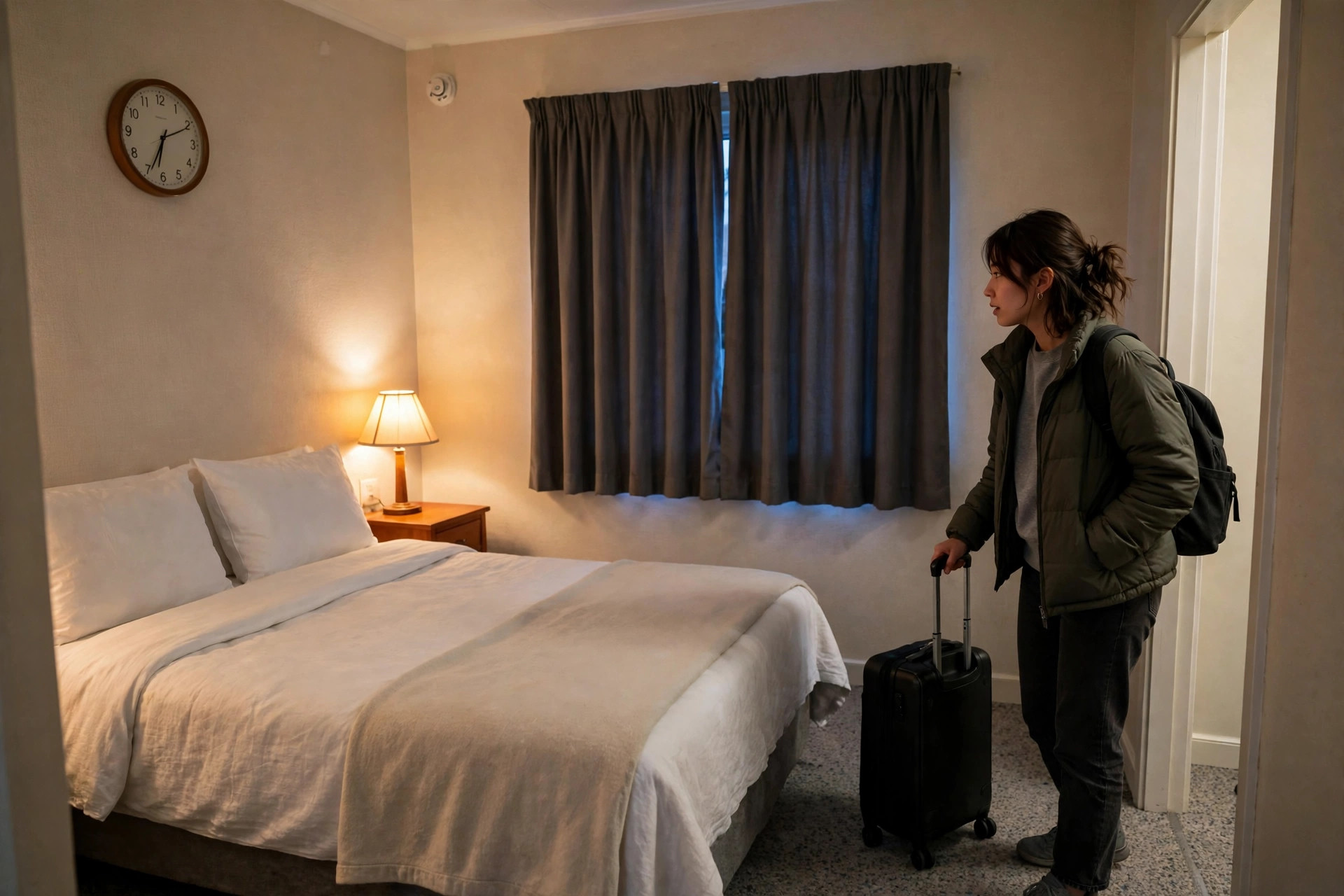
Photo: Wikimedia Commons
Yatra Guides
How to Check a Hotel Room for Hidden Cameras in 10 Minutes
A practical 10-minute hotel room check for hidden cameras: where they actually hide, the flashlight sweep, Wi-Fi scan and mirror test — and what to do if you find one.
Quick answer: Give any hotel room, homestay or Airbnb ten minutes on arrival: lights off, phone flashlight sweep of everything facing the bed and bathroom, a fingertip mirror test, and a look at the Wi-Fi network list. A detector app can speed up the Wi-Fi and lens checks, but no app finds every camera — a switched-off camera recording to a memory card shows up on no scan at all, so the physical sweep is the part that matters.
The first thing I do in any hotel room, before the bags come off the bed, is a ten-minute check. Not because I expect to find something — in years of travelling I never have — but because ten minutes is cheap and the alternative, finding out later, is not.
This is the check, in the order that works. It needs nothing you do not already carry: your phone, its flashlight, and your eyes.
What does a hidden camera look like in a real room?
Forget the film version. A real hidden camera is the size of a shirt button, and it lives inside something ordinary. The cases that actually made the news in India tell you where to look better than any list of hiding places does.
In August 2025, police in Gwalior arrested three people who had fitted cameras into light bulb holders in hotel rooms, filmed couples, and then tried to blackmail them. In October 2022, two men in Noida booked a hotel room, left a camera, checked out, and rebooked the same room a week later to collect it — then tried to extort the couple they had filmed. In December 2025, a couple in a Mumbai hotel found a mini camera inside an unused wall socket near the door, a wire poking out giving it away. In a Hyderabad flat the same year, tenants found one behind a bathroom light fitting after noticing a loose screw.
The pattern across all of them is worth knowing, because it changes what you check. In the cases that reached the police, the camera was usually placed by a previous guest or a resident, not by the hotel. That is why the check matters in any room — a chain hotel, a homestay, an Airbnb, a dharamshala room on a yatra — and why it is worth doing even in a place you trust.
The hiding places repeat: smoke detectors, phone chargers, alarm clocks, wall sockets, bulb holders, air fresheners, tissue boxes, picture frames, and anything on the wall facing the bed or the bathroom. A camera needs a lens pointed at something worth filming, and it needs power or a battery. So start with the things facing the bed and the shower, and the things plugged into the wall.
The 10-minute check, step by step
Minutes 1–3: look, with the lights on. Walk the room slowly. Anything facing the bed or the bathroom gets a second look. Check for tiny holes, a small dark circle that looks like a lens, a light that blinks when nothing should be blinking, or an object that does not belong — a second smoke detector, a charger you did not bring, a clock in the bathroom. Pick up the alarm clock and the charger if they look odd; a real one is usually heavier than it looks and has no loose parts. Check the smoke detector's face for a pinhole. Look behind the TV and at the top of the wardrobe, and check the bathroom: the mirror, the vent, the shower head fitting, anything above the toilet.
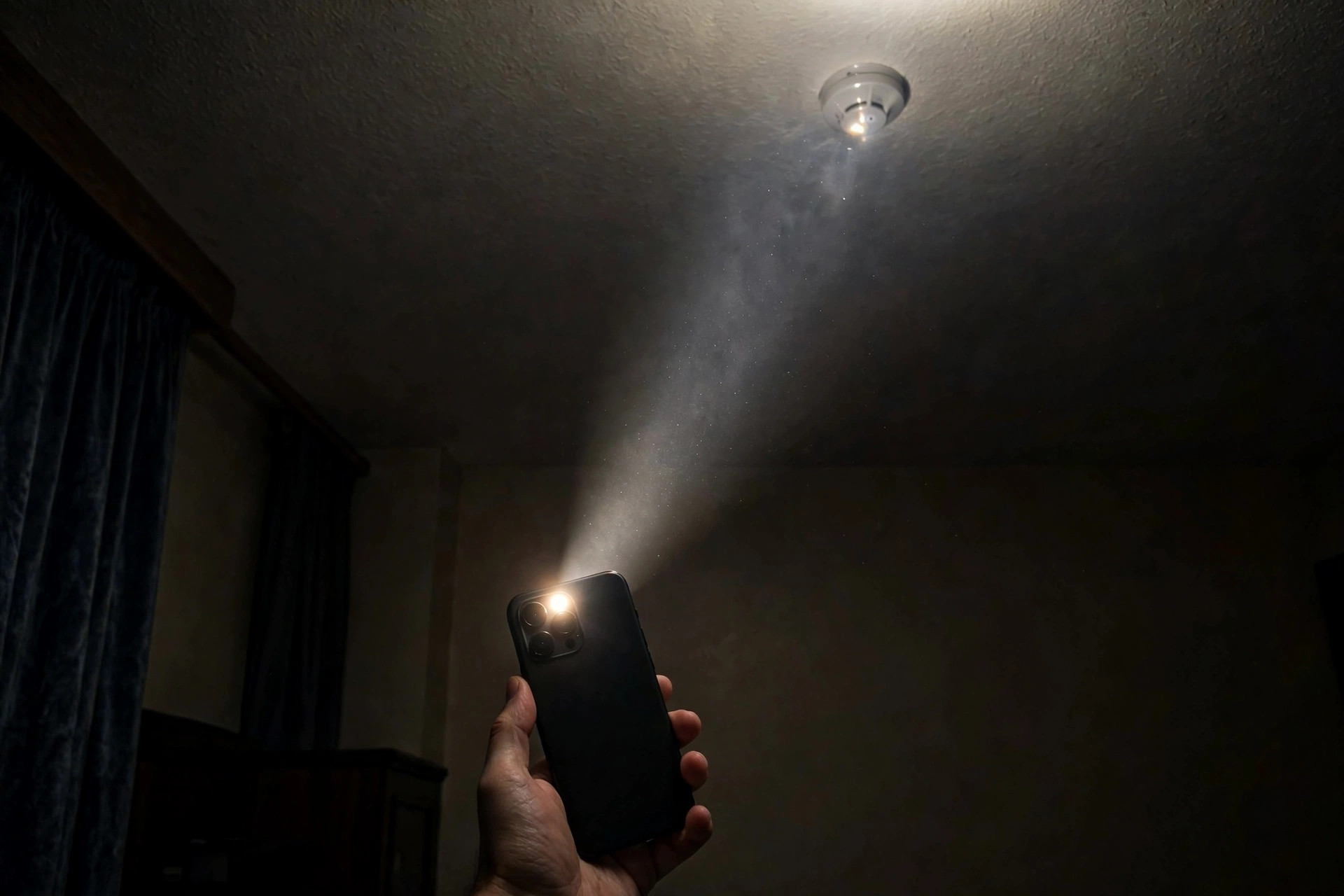
Minutes 4–6: lights off, flashlight on. Turn every light off and close the curtains. Hold your phone flashlight at eye level and sweep it slowly across the room, watching for a small, sharp glint that flashes back at you. A camera lens reflects light straight back in a way that plastic and paint do not. Sweep the smoke detector, the clock, the frames, the vents, the TV, and the bathroom fittings. Do the same in the bathroom with the door closed. If you want a second pair of hands for this, a detector app can help here: NoPeek, a hidden camera detector app, runs this lens-glare test with your flashlight and a laser line that points at the spot that flashed back, so you are not trying to remember which corner of the ceiling glinted. The point is the same either way — a glint that shines back with the flashlight on and goes dark with it off is worth a closer look.
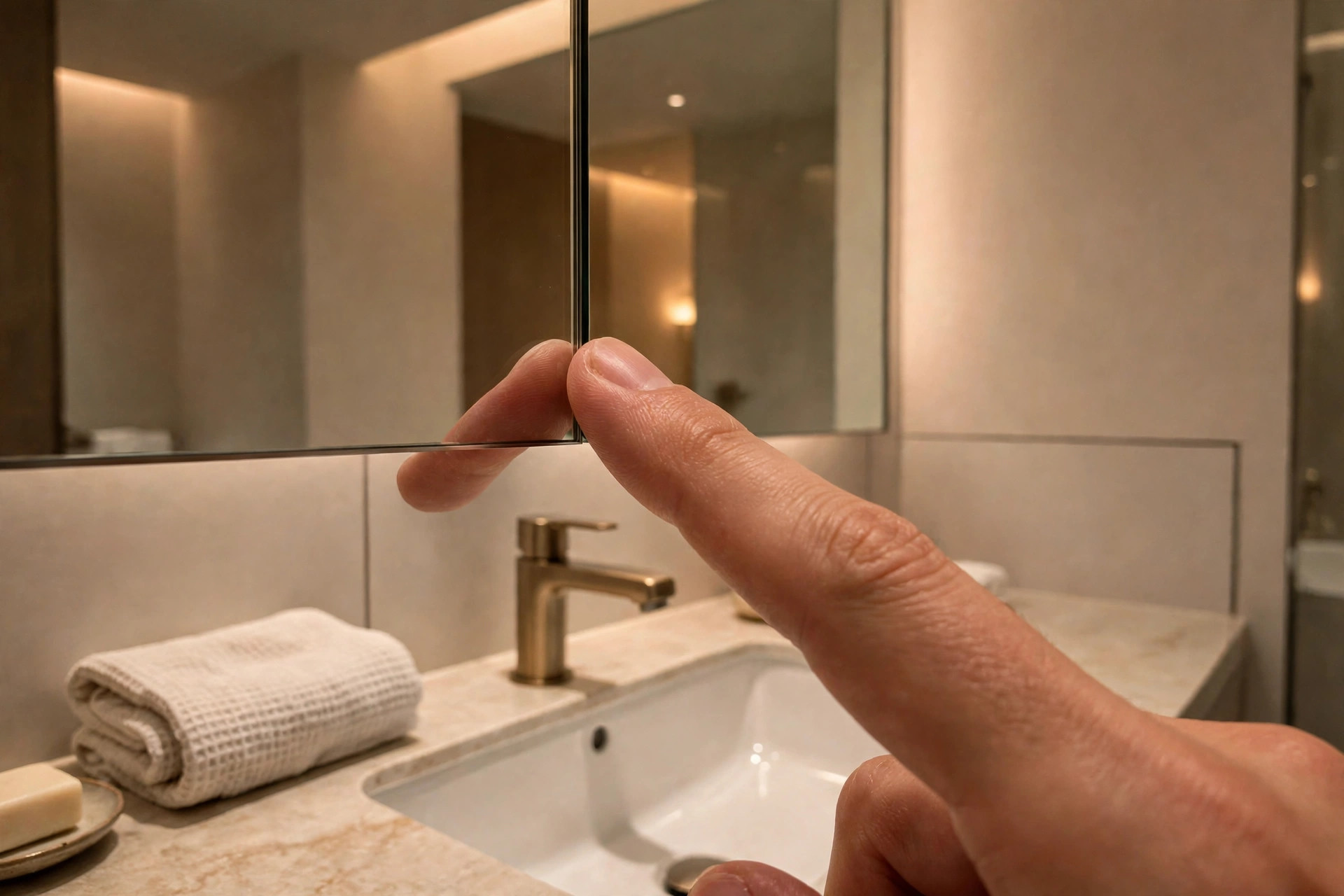
Minute 7: the mirror test. Put your fingertip against the bathroom mirror. On a normal mirror there is a small gap between your fingertip and its reflection, because the reflective coating sits behind the glass. If your fingertip touches its reflection with no gap at all, the mirror may be a two-way mirror — glass with a see-through coating and a space behind it. It is not proof of a camera, but it is a reason to check what is behind that wall, and to tell reception.
Minutes 8–9: the Wi-Fi list. Open your phone's Wi-Fi settings and look at the networks around you. A cheap mini camera often broadcasts its own setup network, with a name that looks like a jumble of letters and numbers, or the brand name of a camera. Then look at the devices on the network you are connected to. A detector app does this part faster than doing it by hand: NoPeek's Wi-Fi camera scan lists the devices on the room's network and gives each a plain verdict — camera, worth checking, or normal — and it also lists Bluetooth signals from cameras that are not on your Wi-Fi at all. Either way, a device you cannot account for, especially one whose name sounds like a camera brand, is a reason to ask reception what it is before you settle in.
Minute 10: the tracker check. While you are at it, check for trackers. If an AirTag or a similar Bluetooth tag is travelling with you, an iPhone will usually warn you with an "AirTag Found Moving With You" alert, and Android phones have a similar unknown-tracker alert. A detector app can run the same check on demand — NoPeek's tracker detector covers AirTags, Tile, Samsung SmartTag and Google Find My Device tags, with a warmer-colder guide to walk toward the signal. It is a one-minute check that belongs in the same ten minutes, because a tracker slipped into a bag is the same kind of privacy problem as a camera in a room.
What a detector app adds — and what it does not
A detector app is a shortcut, not a superpower. It does three things faster than doing them by hand: the Wi-Fi scan, the lens-glare test, and the infrared check for night-vision cameras, whose infrared lights your eyes cannot see but a phone camera sometimes can. NoPeek also bundles them into a guided Full Room Check that ends with a coverage score and a report you can save or share, and it works offline, which matters in a hill-town hotel where the signal is patchy. It runs in 12 languages, including Spanish, Portuguese and French, so it is as usable for a traveller in Spain or Brazil as in India. You can find it on Google Play as NoPeek — Hidden Camera Detector.
What it does not do is find every camera. No phone app can. A camera that is switched off, unplugged, or recording only to a memory card sends no signal at all, and no scan will see it. In a CNBC test in January 2024, an examiner using five detection methods — visual sweep, flashlight, Wi-Fi scan, infrared and a lens detector — found 17 of 27 cameras hidden in a house. That is the honest scale of the problem: even a careful, well-equipped check misses some. A flag from any app is a reason to look closer, not proof, and a clean scan is not a guarantee.
NoPeek is a paid app — a one-time Lifetime payment or a 7-day Trip Pass, both unlocking the same tools — with no ads, no account and no data collected. That is worth knowing only because it shapes what the app is: a tool you open in a hotel room, not a service that follows you around. Use it if it fits how you travel; the manual check above works without it.
What to do if you find something
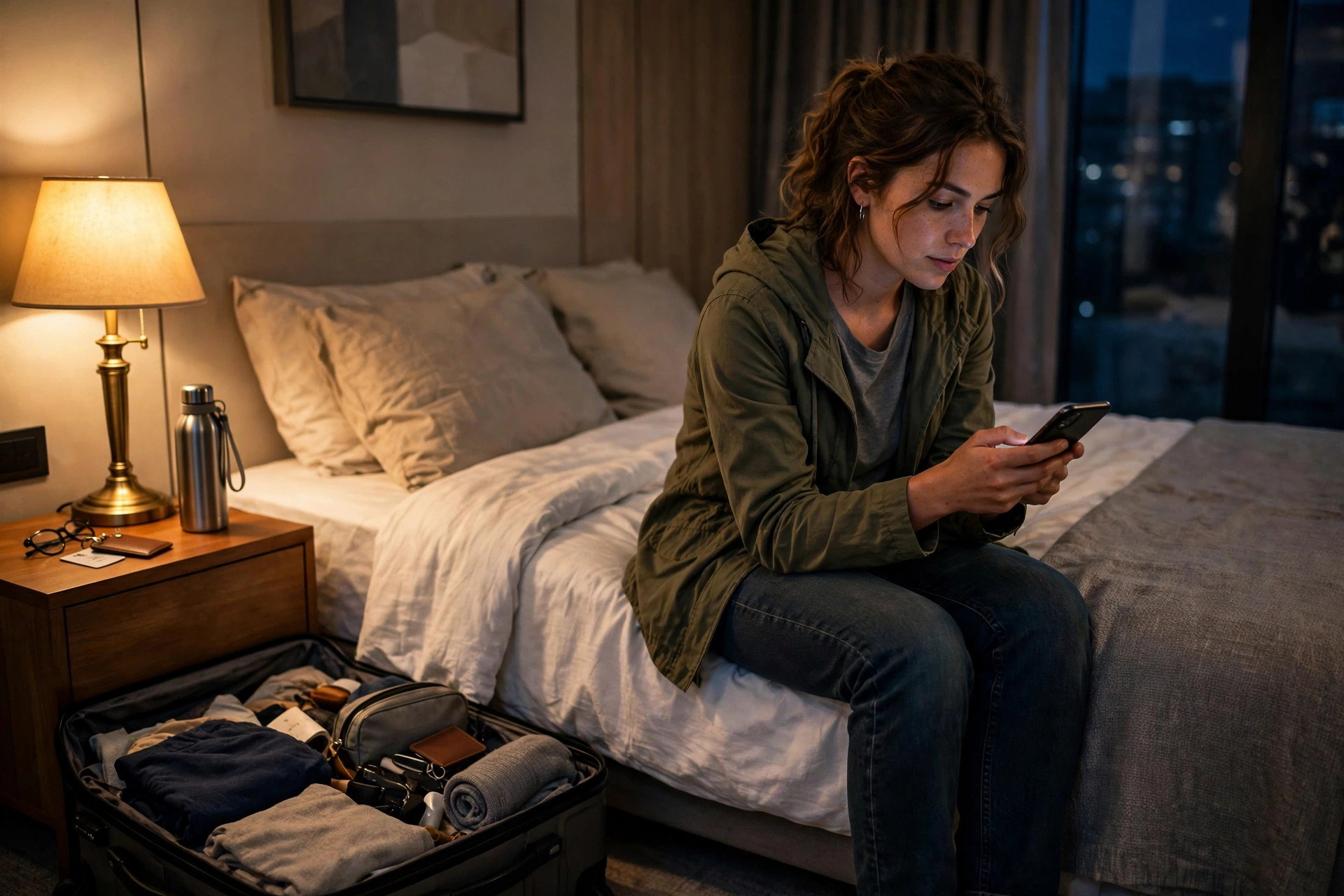
Do not touch it. Do not unplug it, cover it, or take it down — the position it was in is evidence, and moving it makes the complaint harder to prove.
Photograph it where it is, from two or three angles, including one wide shot that shows the room so the location is clear. Then leave the room, go to reception or message your host, and ask to change rooms now, not tomorrow. Put the complaint in writing — an email or a message in the booking app, not just a spoken word at the desk.
Then report it in the right places. On Airbnb, report it through the app within 72 hours of discovery; that window is part of its Rebooking and Refund Policy, and a hidden indoor camera is a policy violation in itself — Airbnb has banned indoor cameras in every listing since 30 April 2024, even switched off. On other platforms, report it through their safety or support channel the same day. And report it to the police. In India, dial 112 — the single emergency number that works in every state and union territory, for police, fire and ambulance. If you were recorded, say so plainly in the complaint: secretly filming someone in a private place is voyeurism, a criminal offence under the Bharatiya Nyaya Sanhita and the IT Act, and the police, not the hotel, decide what happens next.
The India-specific part
Three things are different about doing this in India, and they are practical, not legal theory.
First, the reporting line. 112 is the number to save before you travel — it works across India, day and night, and the 112 India app can share your location with the responders. The women's helpline 1091 is listed by Delhi Police and several other forces for women in distress, and 181 is the national women helpline; if 1091 does not connect where you are, use 112 or 181.
Second, the room types. On a yatra you will sleep in places a hotel guide never covers: dharamshalas, ashram guest rooms, monastery guesthouses, rooms booked through a local agent rather than an app. These are usually the safest rooms in town — they are run by people who live there and know everyone who comes through — but they are also the rooms with the least formal reporting route if something is wrong. The ten-minute check is exactly the same, and if you find something, the person to tell first is the manager on duty, then the police on 112. Do not let the informality of the place stop you reporting; a complaint to the police is what creates the record.
Third, the law is on your side and it is not vague. Filming someone in a private place without consent is a crime in India, and the cases that made the news — Gwalior, Noida, Mumbai — all ended with arrests and charges under the criminal law and the IT Act. You do not need to argue the point with a hotel manager. State what you found, show the photographs, and call 112.
The 10-minute checklist
Print this, or save it on your phone, and run it in every room on arrival.
- [ ] Walk the room: anything facing the bed or bathroom gets a second look — smoke detector, charger, clock, socket, bulb holder, air freshener, frames, vents.
- [ ] Lights off, curtains closed, phone flashlight sweep at eye level — watch for a sharp glint that flashes back.
- [ ] Bathroom mirror: fingertip against the glass — a gap means a normal mirror, no gap means check further.
- [ ] Wi-Fi list: unknown networks and unknown devices on the room network, especially names that look like camera brands.
- [ ] Tracker check: phone's unknown-tracker alert, or a detector app's Bluetooth scan.
- [ ] If anything looks wrong: photograph it in place, do not touch it, change rooms, report in writing, call 112.
Ten minutes, once, in every room. It is the cheapest insurance on a trip, and it is the one safety habit that costs nothing and needs no equipment you do not already have in your pocket.
Frequently asked questions
How common are hidden cameras in hotel rooms?
There is no reliable number. The figure you will see quoted everywhere — 11% of Airbnb guests finding a camera — comes from a 2019 survey of Airbnb stays only, and it produced no hotel figure at all. What the reported Indian cases show is a pattern, not a rate: in the cases that reached the police, the camera was usually placed by a previous guest or a resident, not by the hotel. Gwalior in August 2025, Noida in October 2022 and a Mumbai hotel in December 2025 all followed that pattern. So the risk is real but small, and a ten-minute check on arrival is a reasonable habit, not a reason to be afraid of every room.
Can a phone app really find a hidden camera?
Partly. An app can list the devices on the room's Wi-Fi and flag anything that behaves like a camera, and it can help with the flashlight lens-glare test and an infrared check for night-vision cameras. What it cannot do is find a camera that is switched off, unplugged, or recording only to a memory card — that camera sends no signal at all. In a CNBC test in January 2024, an examiner using five detection methods found 17 of 27 cameras hidden in a house. Treat any app as a shortcut for the network and lens checks, not as a guarantee.
Where do hidden cameras actually hide in a hotel room?
In things that already face the bed or the bathroom and already have a reason to be plugged in: smoke detectors, phone chargers, alarm clocks, wall sockets, light bulb holders, air fresheners, tissue boxes and picture frames. The Indian cases make the point concrete — bulb holders in Gwalior, a wall socket in a Mumbai hotel, a light fitting in a Hyderabad flat. Start with anything facing the bed or the shower, then anything with a tiny hole, a lens glint, or a small light that should not be there.
What should I do if I find a hidden camera?
Do not touch it and do not unplug it. Photograph it exactly where it is, from two or three angles, so the position is on record. Leave the room, go to reception or contact your host, and ask to change rooms immediately. Then report it: to the hotel management in writing, to the booking platform (Airbnb gives you 72 hours from discovery to open a claim under its Rebooking and Refund Policy), and to the police — in India, dial 112. If you were recorded, say so plainly in the complaint; voyeurism is a criminal offence under the Bharatiya Nyaya Sanhita and the IT Act.
Does Airbnb allow cameras inside a listing?
No. Since 30 April 2024, Airbnb's policy bans security cameras and recording devices in every interior space of a listing, even if the camera is switched off, disclosed or unplugged. Outdoor cameras are allowed only if the host discloses them and their location in the listing before you book. A concealed indoor camera is a policy violation on its own, before any law gets involved.
Is a Wi-Fi scan enough on its own?
No, and this is the mistake most advice makes. A Wi-Fi scan only finds cameras that are on the network and transmitting. A camera recording to a memory card, a camera on its own mobile hotspot, or a camera that is simply switched off will not appear. The scan is a useful first pass that takes a minute. The lights-off flashlight sweep and the physical look at anything facing the bed are what catch the rest.
Keep exploring
 Yatra Guides
Camino de Santiago 2027 Holy Year: The Honest First-Timer's Guide — the Record Year, the Holy Door, and Which Route to Actually Walk
Camino de Santiago Holy Year 2027 for first-timers: the record year, the Holy Door opening 31 Dec 2026, real 2026 costs, routes and a 7-day Sarria plan — checked 17 Nov 2026.
 Yatra Guides
Bodh Gaya for International Visitors: The Tipitaka Ceremony, the Phone Ban, and the Buddha's Town Without the Guesswork
Bodh Gaya for first-time foreign visitors: the December 2026 Tipitaka ceremony, the temple phone ban, real costs, stays and scams — checked 14 Nov 2026.
 Yatra Guides
Puri for International Visitors: The Jagannath Temple You Cannot Enter — and the Sacred Coast That Is Still Worth the Trip
Puri for first-time foreign visitors: the Jagannath Temple entry rule, what to see instead, real costs, safety and scams — checked 12 Nov 2026.